How to sort DMG and PKG installers automatically on Mac
DMGs and PKGs move into an Installers subfolder
Beginner · About 1 minute
In this guide
What this does
App installers pile up in Downloads alongside everything else, even though you usually only need them for the few minutes it takes to install something. This rule corrals every DMG and PKG file into its own Installers subfolder the moment it lands, so they’re easy to find, and easy to clear out later, without mixing in with the rest of your downloads.
What you’ll build
A rule that matches DMG or PKG files, then sorts each into an Installers subfolder.
Open the rule editor
This walkthrough happens inside FilesAutomator itself, so install it from the Mac App Store first if you have not already, then open it. In its toolbar, choose Add, then New Automation Rule.
Name the rule and choose a folder
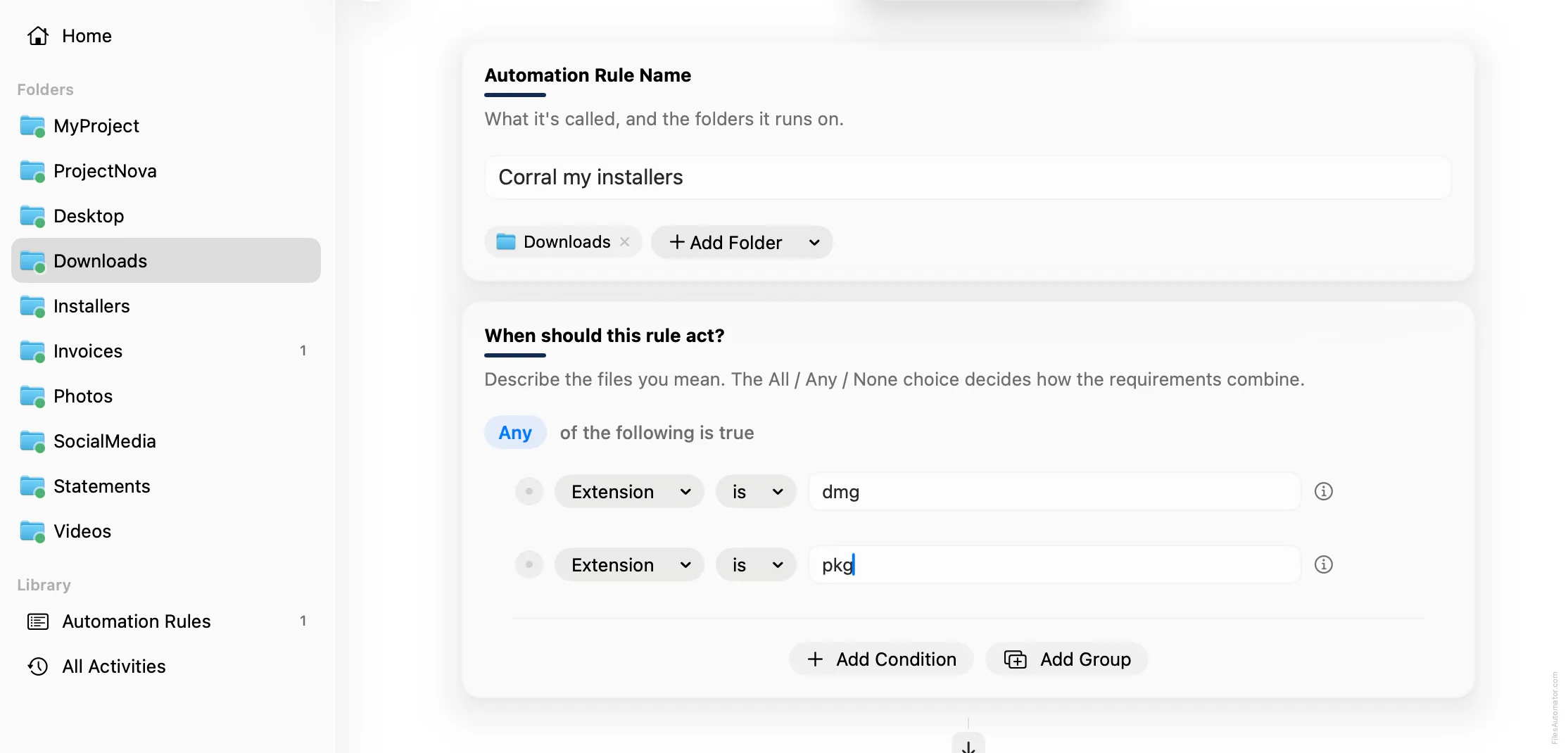
Name it something like “Corral my installers” and use Add Folder to choose your Downloads folder.
Build the condition
Set the group to “Any of the following is true”.
Add a condition: Extension is dmg.
Add a second condition: Extension is pkg.
Add the action steps
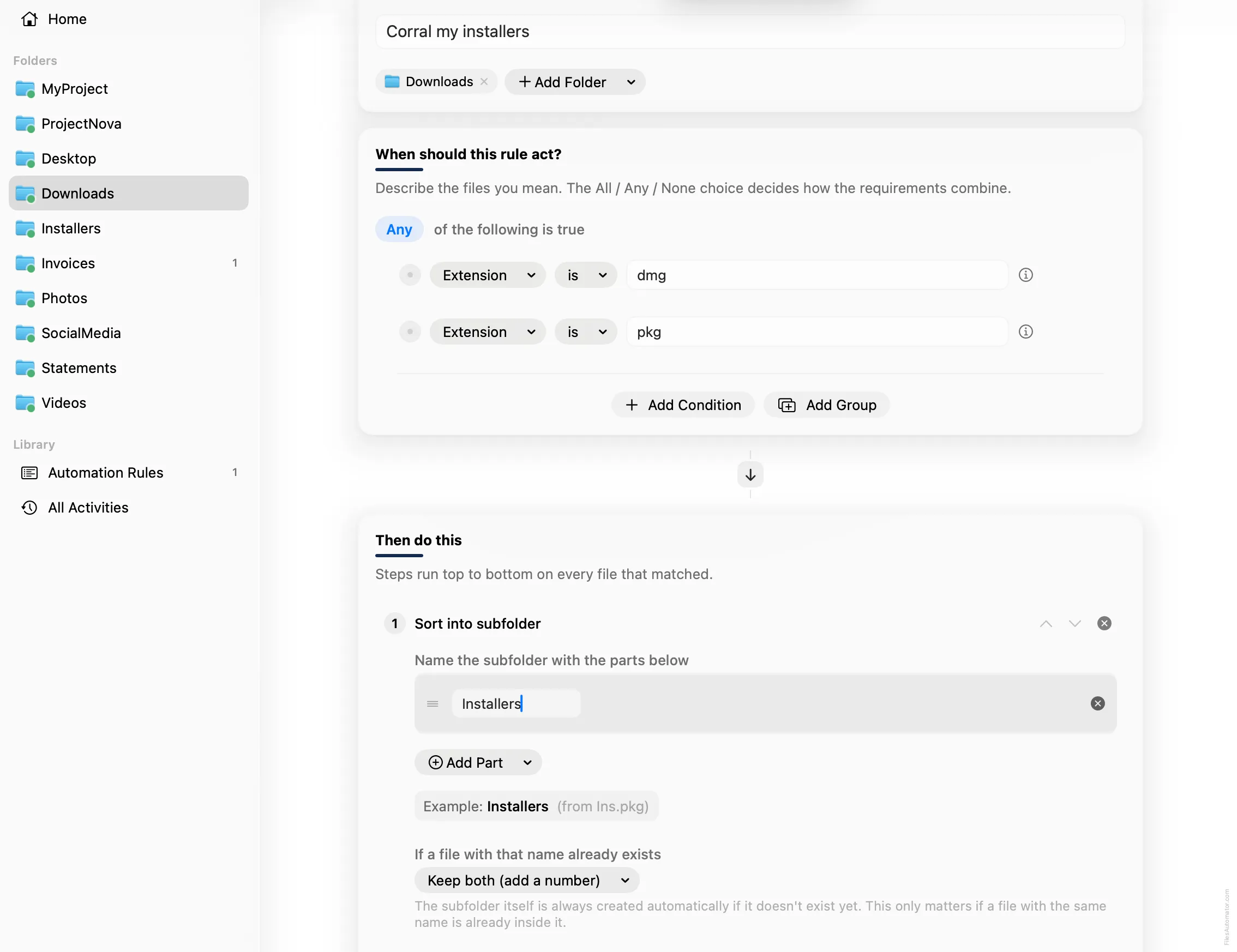
Step 1: Sort into subfolder
Choose Add Step, then Sort into folder. In “Name the subfolder with the parts below”, use Add Part, choose Text, and type Installers.
Turn it on
Select Create Automation Rule, then switch the rule on. Every installer that lands here now files itself away automatically.
A faster way
The template gallery inside FilesAutomator already has this rule ready to install, named Corral installers.
Related rules
Get FilesAutomator
Everything in this guide happens inside FilesAutomator itself. Download it free from the Mac App Store to follow along, or to install this exact rule from the template gallery in one click instead of building it by hand.
Download on the App Store