How to automatically delete old installers on Mac
DMGs and PKGs untouched for 14 days move to the Trash, since the install is already done
Beginner · About 2 minutes
In this guide
What this does
An installer only earns its keep for the few minutes it takes to run, after that it’s just taking up space. This rule waits 14 days, long enough that you’re clearly not about to reinstall something, then moves any leftover DMG or PKG file straight to the Trash. Since it goes through the Trash rather than deleting outright, and every FilesAutomator action is undoable from Activity, nothing here is a real risk.
What you’ll build
A rule that matches DMG or PKG files added more than 14 days ago, then moves each to the Trash.
Open the rule editor
This walkthrough happens inside FilesAutomator itself, so install it from the Mac App Store first if you have not already, then open it. In its toolbar, choose Add, then New Automation Rule.
Name the rule and choose a folder
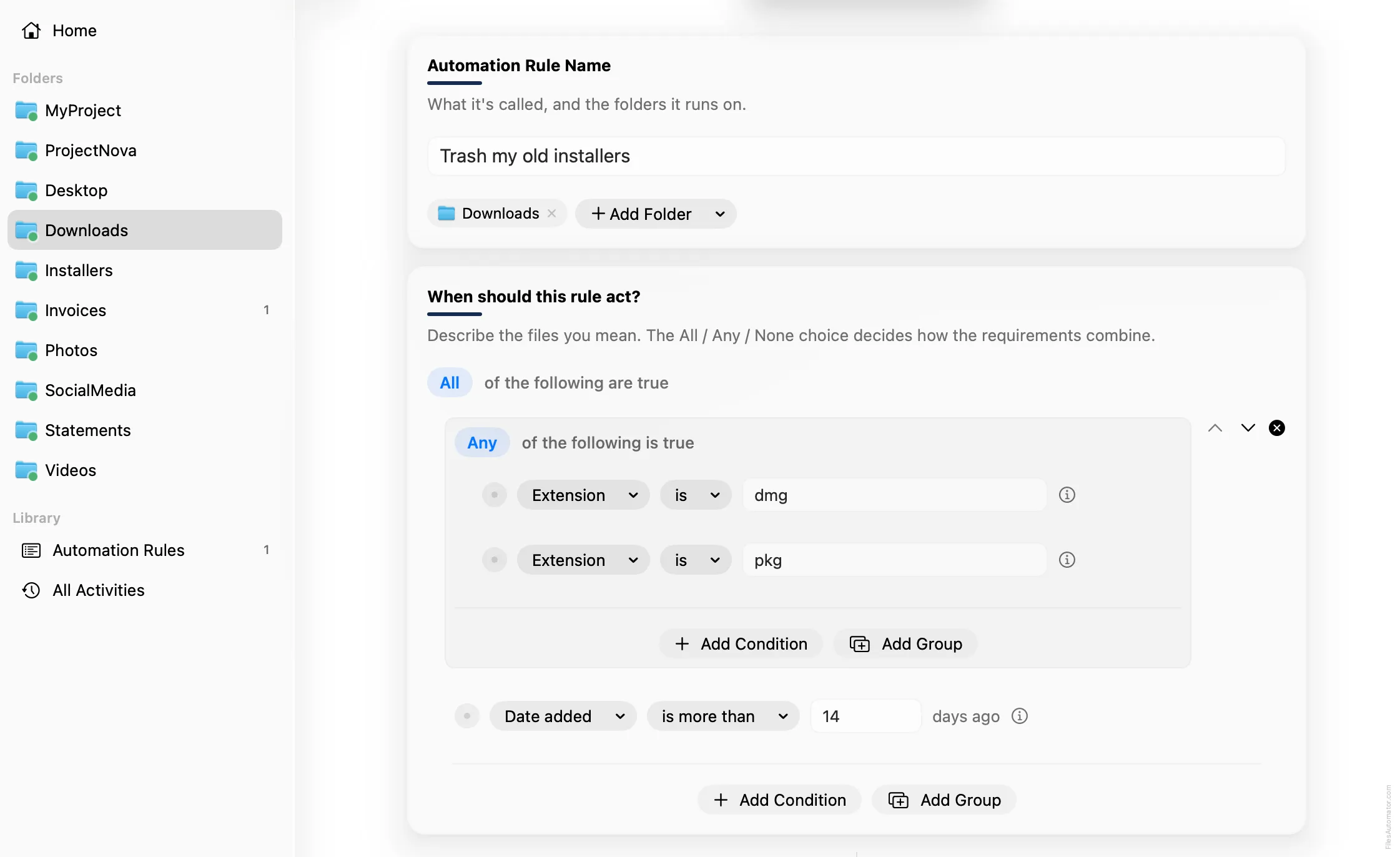
Name it something like “Trash my old installers” and use Add Folder to choose your Downloads folder.
Build the condition
Leave the top group set to “All of the following are true”.
Choose Add Group to nest a second group, set its operator to “Any of the following is true”, and add two conditions inside it: Extension is dmg, and Extension is pkg.
Back in the outer group, add one more condition: Date added is more than 14 days ago.
Add the action steps
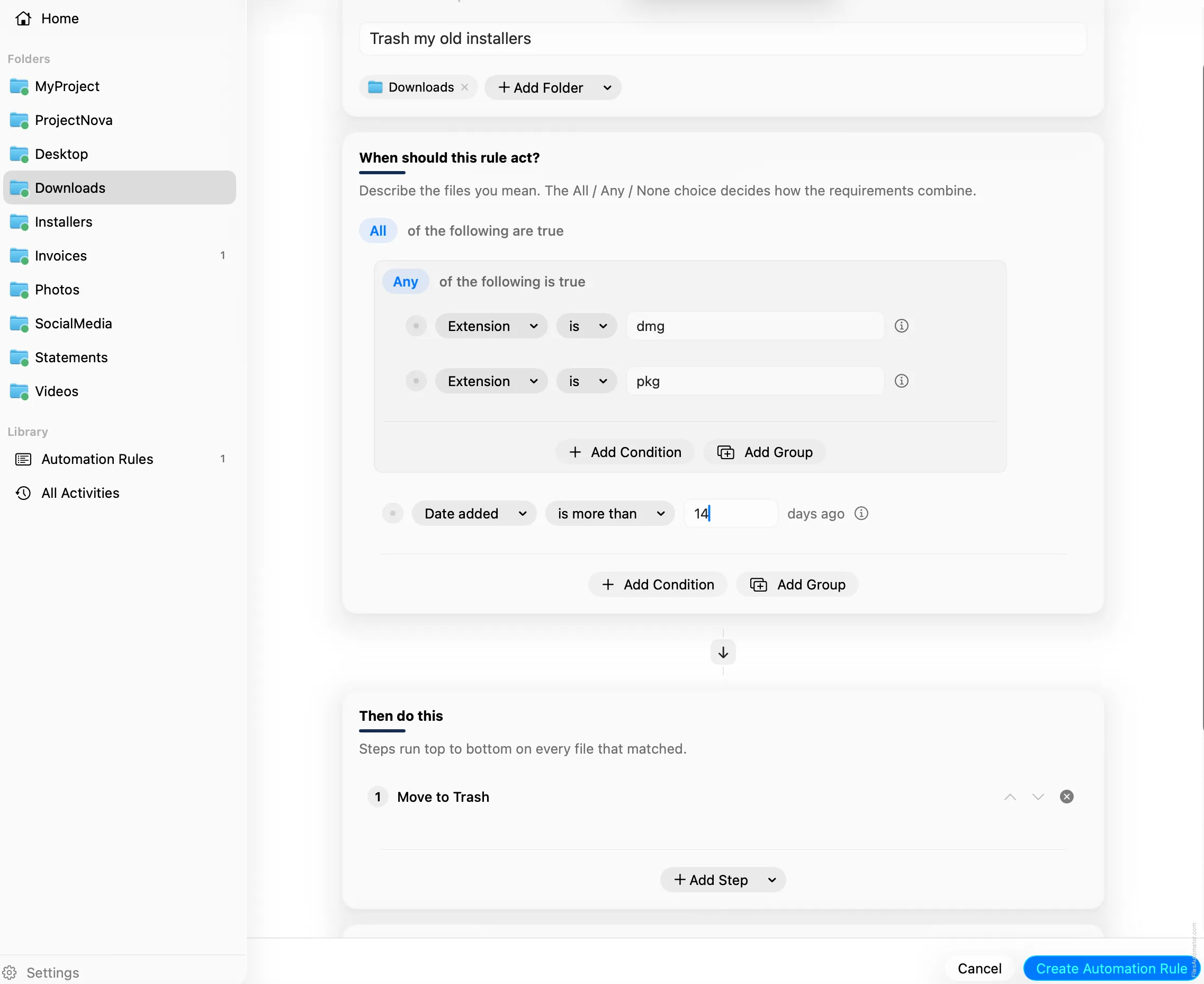
Step 1: Move to Trash
Choose Add Step, then Move to Trash. This step has no extra fields to fill in.
Turn it on
Select Create Automation Rule, then switch the rule on. From now on, installers that have sat untouched for two weeks clear themselves out on their own.
A faster way
The template gallery inside FilesAutomator already has this rule ready to install, named Trash old installers.
Related rules
Get FilesAutomator
Everything in this guide happens inside FilesAutomator itself. Download it free from the Mac App Store to follow along, or to install this exact rule from the template gallery in one click instead of building it by hand.
Download on the App Store