How to sort TV episodes into season folders on Mac
Video files with a season and episode number in their name get filed into a Season subfolder
Advanced · About 3 minutes
In this guide
What this does
Once episodes carry a season and episode tag in their filename, the natural next step is filing them into a folder per season rather than leaving an entire series flat in one place. This rule reads the same season tag the renaming rule above looks for, and uses just the season number to file each episode into a Season subfolder, “Season 1”, “Season 2”, and so on.
What you’ll build
A rule that matches video files with a season and episode tag in their name, then sorts each into a Season subfolder based on its season number.
Open the rule editor
This walkthrough happens inside FilesAutomator itself, so install it from the Mac App Store first if you have not already, then open it. In its toolbar, choose Add, then New Automation Rule.
Name the rule and choose a folder
Name it something like “Sort my episodes into season subfolders” and use Add Folder to choose your media folder.
Build the condition
Leave the top group set to “All of the following are true”.
Add a condition: Kind is a kind of public.movie, which matches every video format.
Add a second condition: Name matches pattern, then enter this pattern:
(?i)s\d{1,2}e\d{1,2}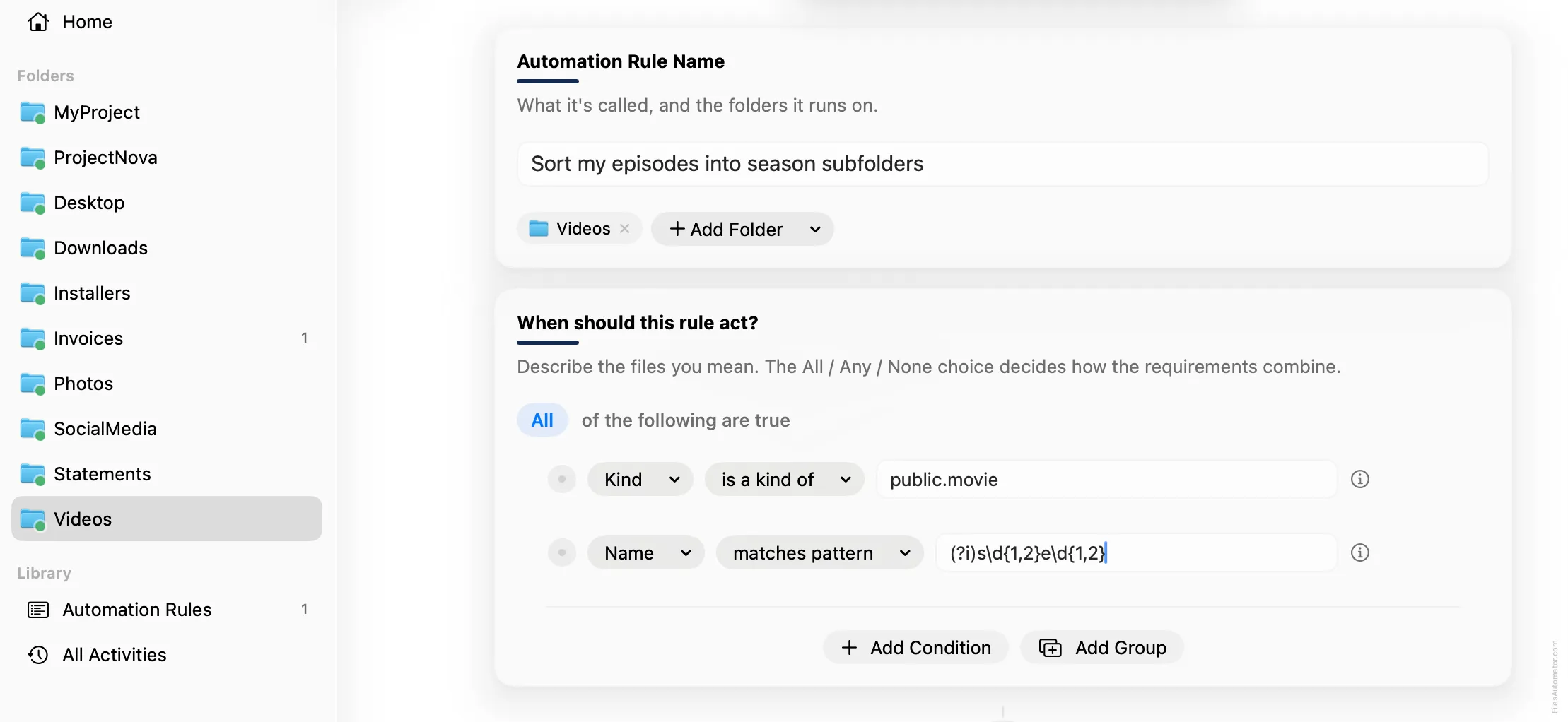
Add the action steps
Step 1: Sort into subfolder
Choose Add Step, then Sort into folder. In “Name the subfolder with the parts below”, use Add Part, choose Text, and type “Season “, with a trailing space. Add Part again, choose Regex capture, leave its source on Name, and enter this pattern into “What to look for”, which captures just the season number rather than the whole tag:
(?i)s(\d{1,2})e\d{1,2}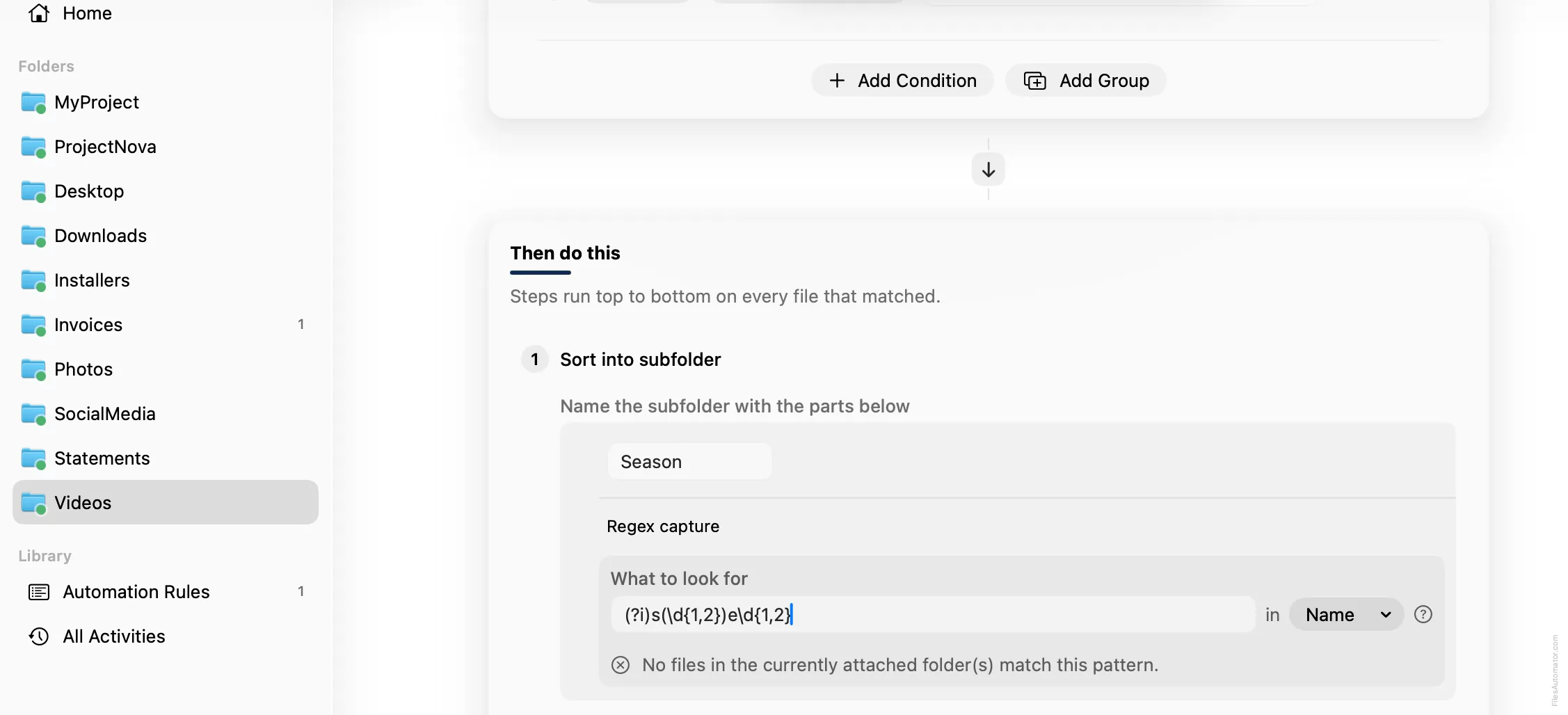
Turn it on
Select Create Automation Rule, then switch the rule on. Every matching episode now files itself into the right season folder automatically.
A faster way
The template gallery inside FilesAutomator already has this rule ready to install, named Sort episodes into season subfolders.
Get FilesAutomator
Everything in this guide happens inside FilesAutomator itself. Download it free from the Mac App Store to follow along, or to install this exact rule from the template gallery in one click instead of building it by hand.
Download on the App Store