How to convert WEBP to JPEG automatically on Mac
Web images become universally openable JPEGs, undoable
Beginner · About 1 minute
In this guide
What this does
Plenty of websites now serve images as WEBP, a format that saves bandwidth but that older apps and some editing tools still don’t handle well. This rule catches every WEBP file the moment it’s saved or downloaded and converts it to a JPEG copy, keeping the original WEBP alongside it.
What you’ll build
A rule that matches files ending in .webp, then converts each one to JPEG while keeping the original untouched.
Open the rule editor
This walkthrough happens inside FilesAutomator itself, so install it from the Mac App Store first if you have not already, then open it. In its toolbar, choose Add, then New Automation Rule.
Name the rule and choose a folder
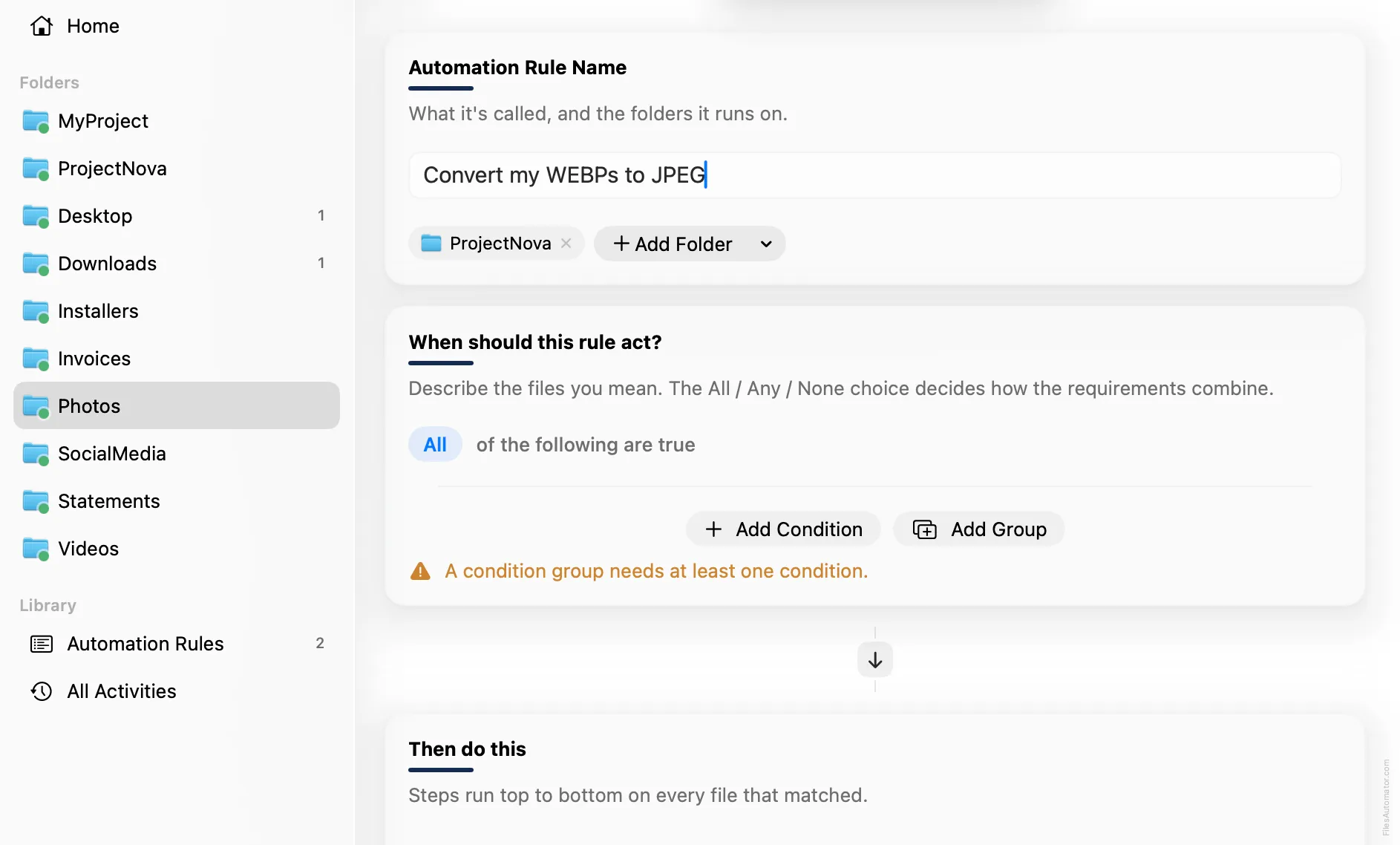
Name it something like “Convert my WEBPs to JPEG” and use Add Folder to choose the folder these images land in, for example your Downloads folder.
Build the condition
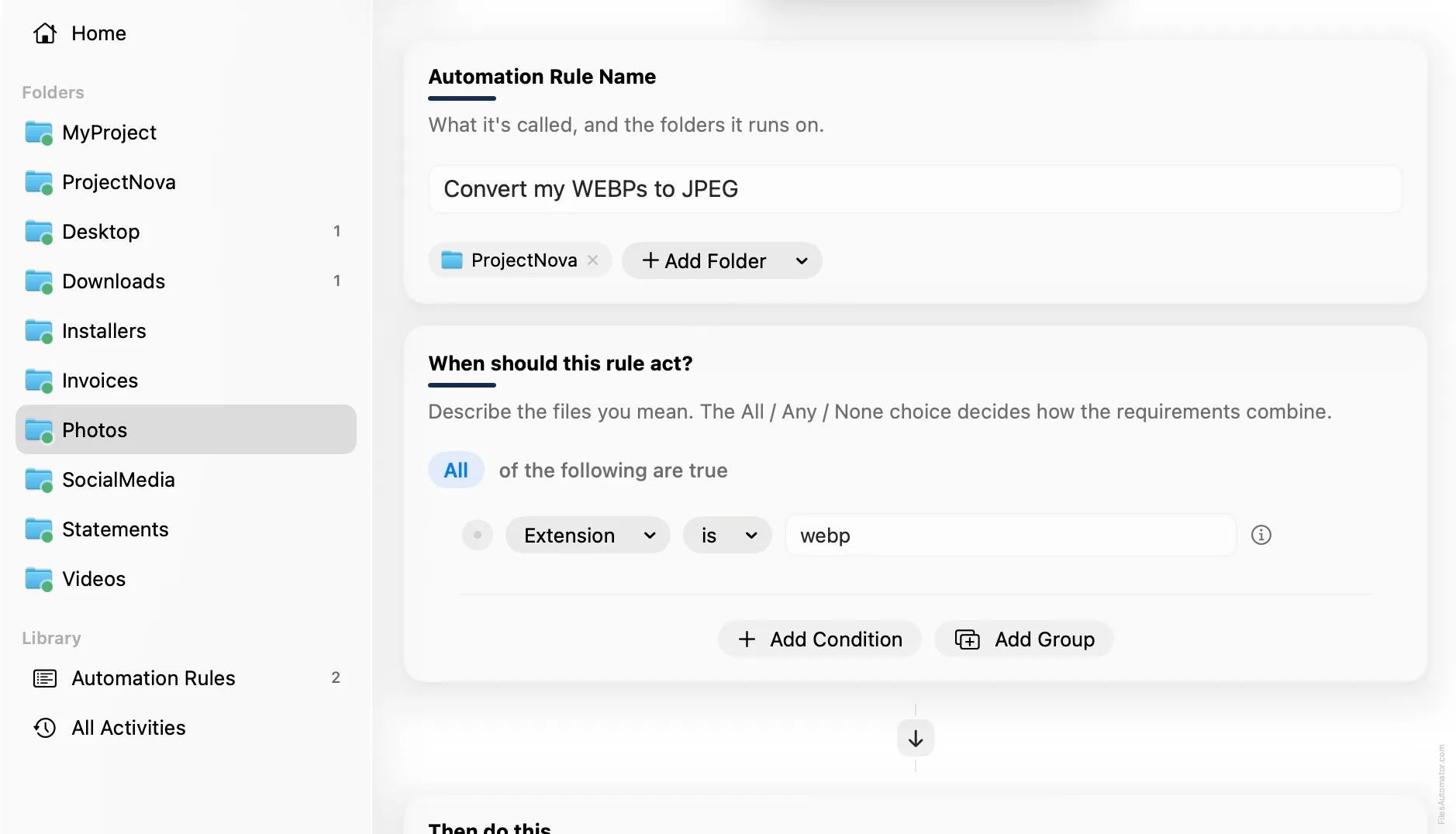
Add a single condition: Extension is webp.
Add the action steps
Step 1: Convert image
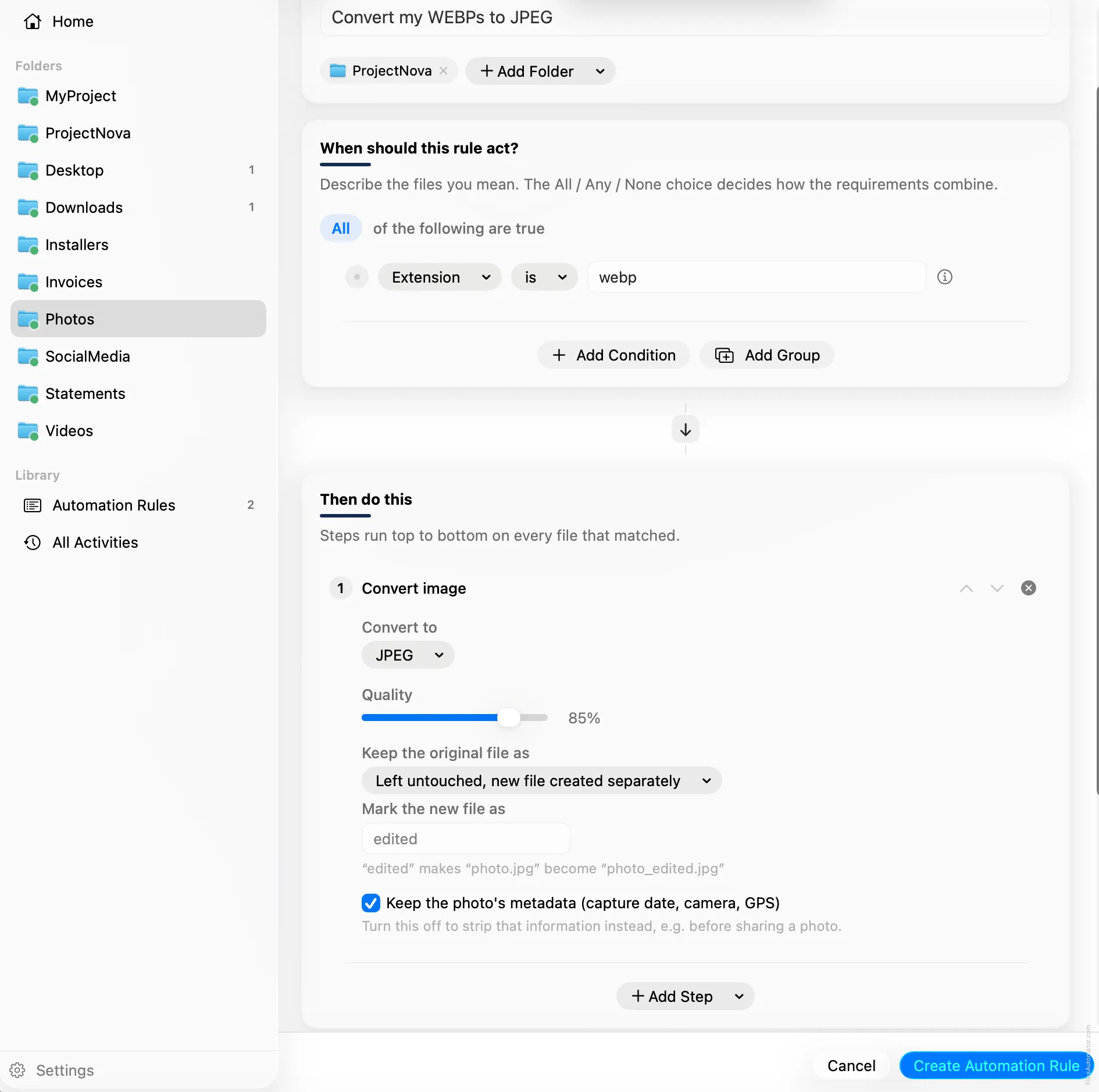
Choose Add Step, then Convert image. Set “Convert to” to JPEG, and leave Quality at its default.
Set “Keep the original file as” to Left untouched, new file created separately, so the WEBP stays exactly where it was and the JPEG appears next to it.
Turn it on
Select Create Automation Rule, then switch the rule on. From now on, every WEBP that lands here gets a JPEG copy automatically, and every conversion is undoable from Activity.
A faster way
The template gallery inside FilesAutomator already has this rule ready to install, named Convert WEBP to JPEG.
Related rules
Get FilesAutomator
Everything in this guide happens inside FilesAutomator itself. Download it free from the Mac App Store to follow along, or to install this exact rule from the template gallery in one click instead of building it by hand.
Download on the App Store