How to prepend the date to new filenames on Mac
Every file gets the date it arrived at the front of its name, so sorting by name also sorts by time
Beginner · About 2 minutes
In this guide
What this does
Sorting a folder by name doesn’t help much if the names don’t carry any date information. This rule prepends the date each file arrived to the front of its filename, so sorting alphabetically by name also happens to sort chronologically, useful for any folder where you want a reliable timeline just from glancing at the file list.
What you’ll build
A rule that matches every real file, then adds the date it arrived to the front of its name.
Open the rule editor
This walkthrough happens inside FilesAutomator itself, so install it from the Mac App Store first if you have not already, then open it. In its toolbar, choose Add, then New Automation Rule.
Name the rule and choose a folder
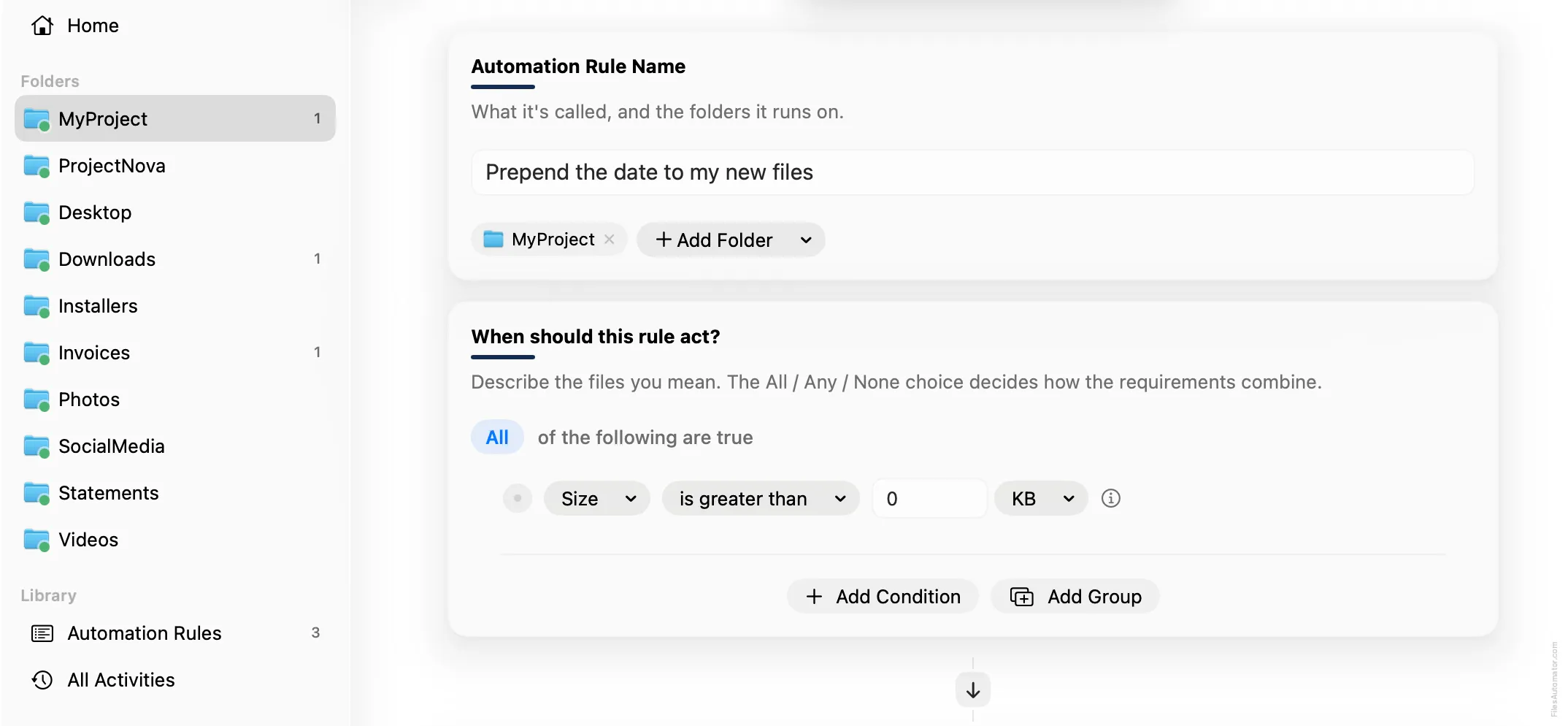
Name it something like “Prepend the date to my new files” and use Add Folder to choose the folder you want this applied to.
Build the condition
Add a single condition: Size is greater than 0, matching any real file.
Add the action steps
Step 1: Rename
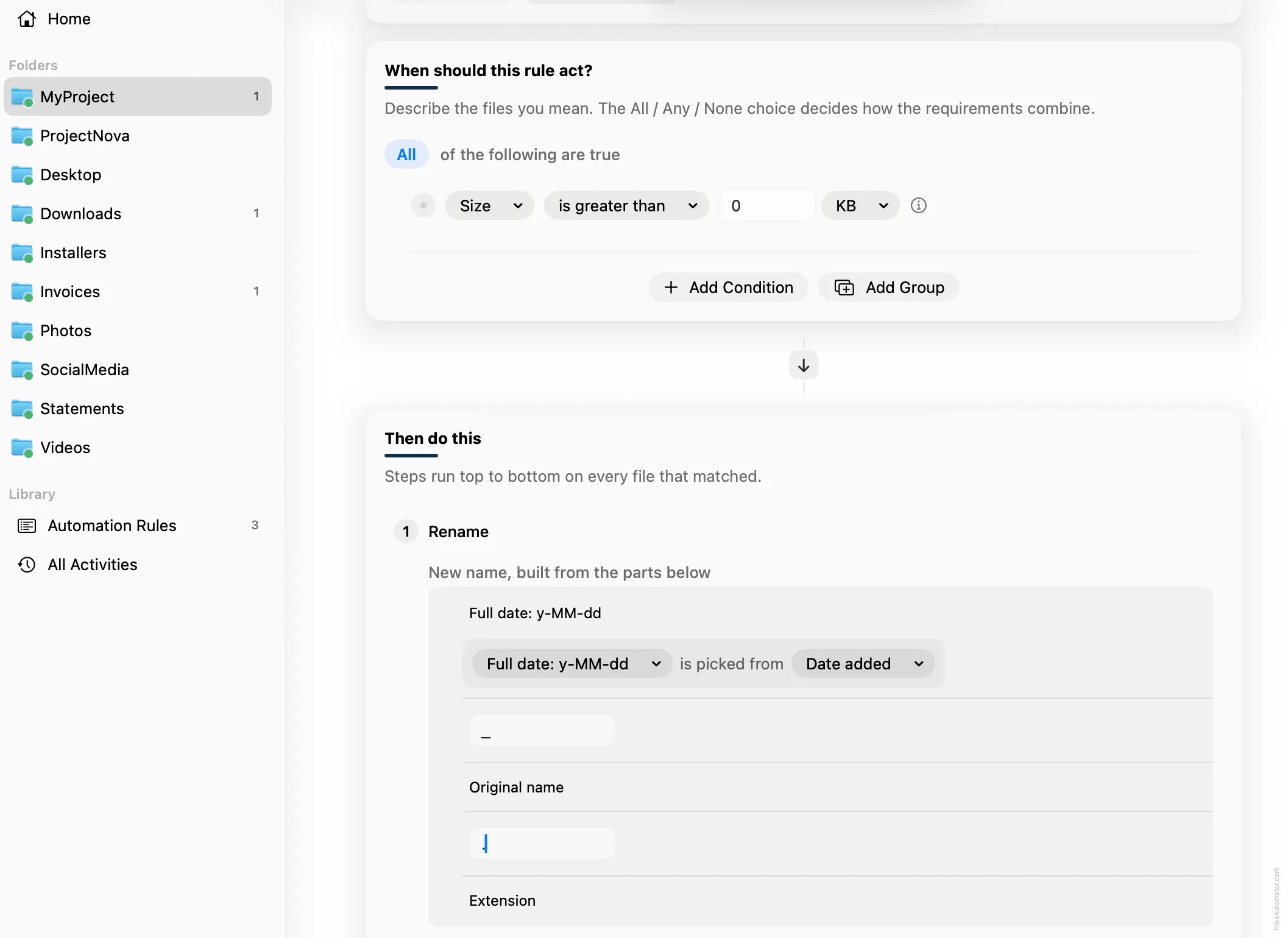
Choose Add Step, then Rename. In “New name, built from the parts below”, use Add Part, then Date,
then Full date: y-MM-dd. This chip already reads from Date added by default, which is exactly what
you want here, so there’s no need to change its source. Add Part again, choose Text, and type an
underscore. Add Part once more and choose Original name, then Add Part again, choose Text, type a
period, and finally Add Part and choose Extension.
Turn it on
Select Create Automation Rule, then switch the rule on. Every file that lands here now carries its arrival date right in the name.
A faster way
The template gallery inside FilesAutomator already has this rule ready to install, named Prepend the date to new files.
Related rules
Get FilesAutomator
Everything in this guide happens inside FilesAutomator itself. Download it free from the Mac App Store to follow along, or to install this exact rule from the template gallery in one click instead of building it by hand.
Download on the App Store